
Register in one tap
Tick who came, who was late and who pays. Attendance and billing are separate, so you stay in control.
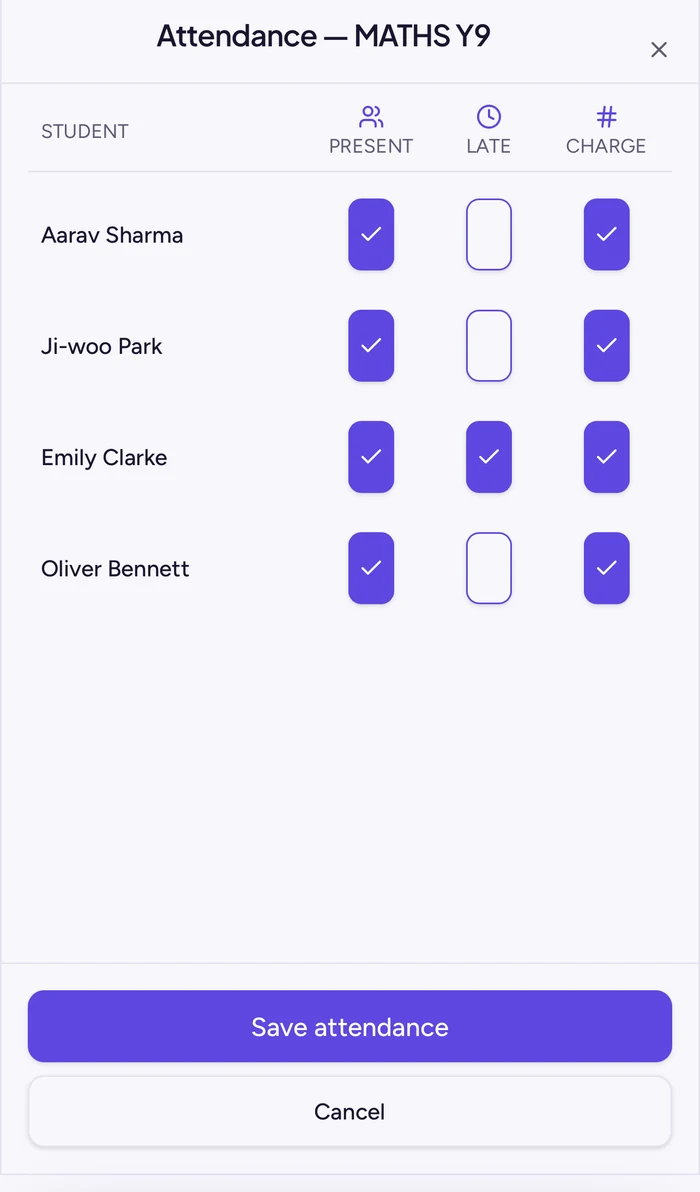
Take the register in one tap. At the end of the month Teacher Tally drafts every invoice from your lessons and balances. You check them, approve them, and parents get a clear PDF from your own email.
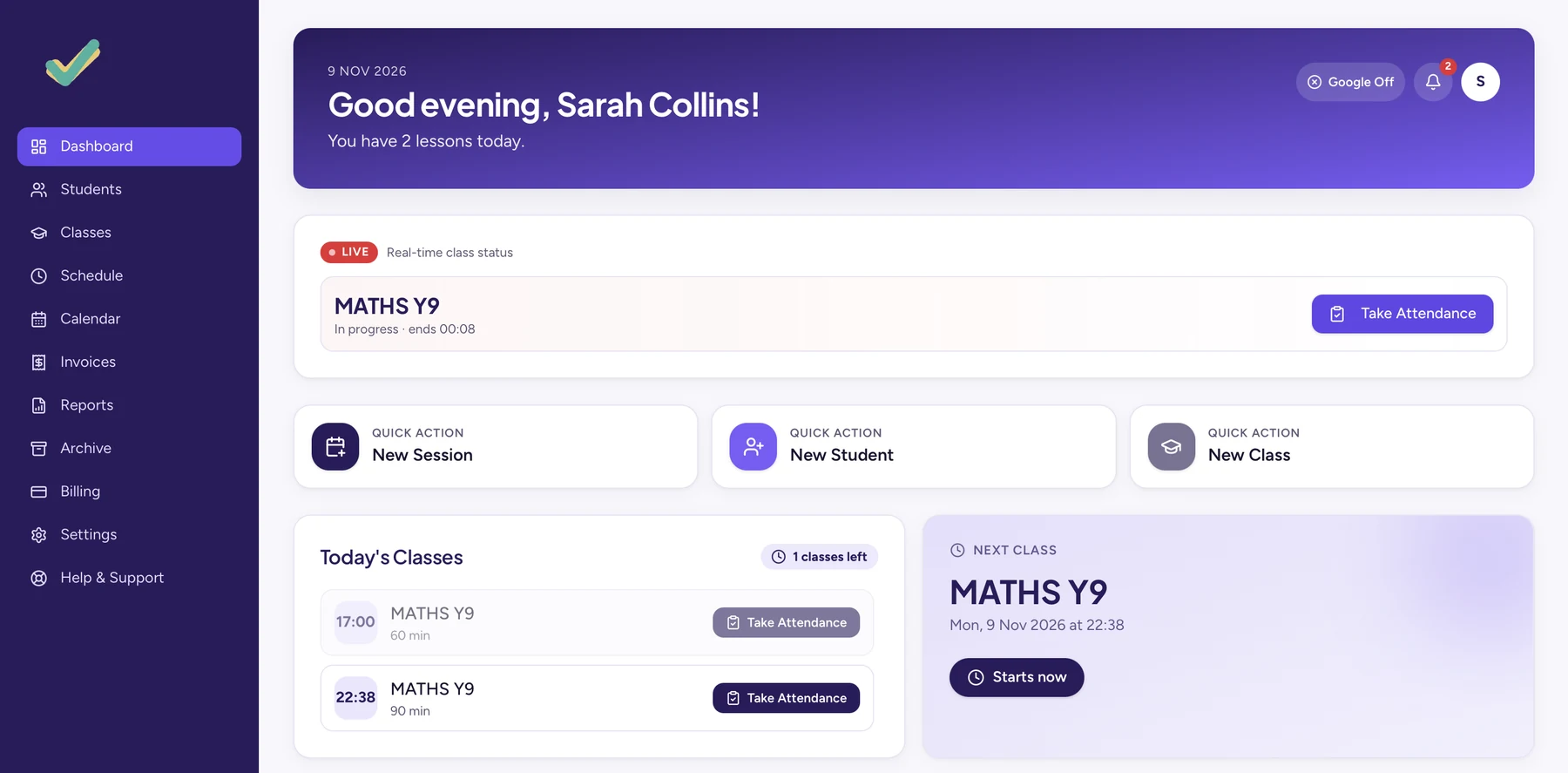
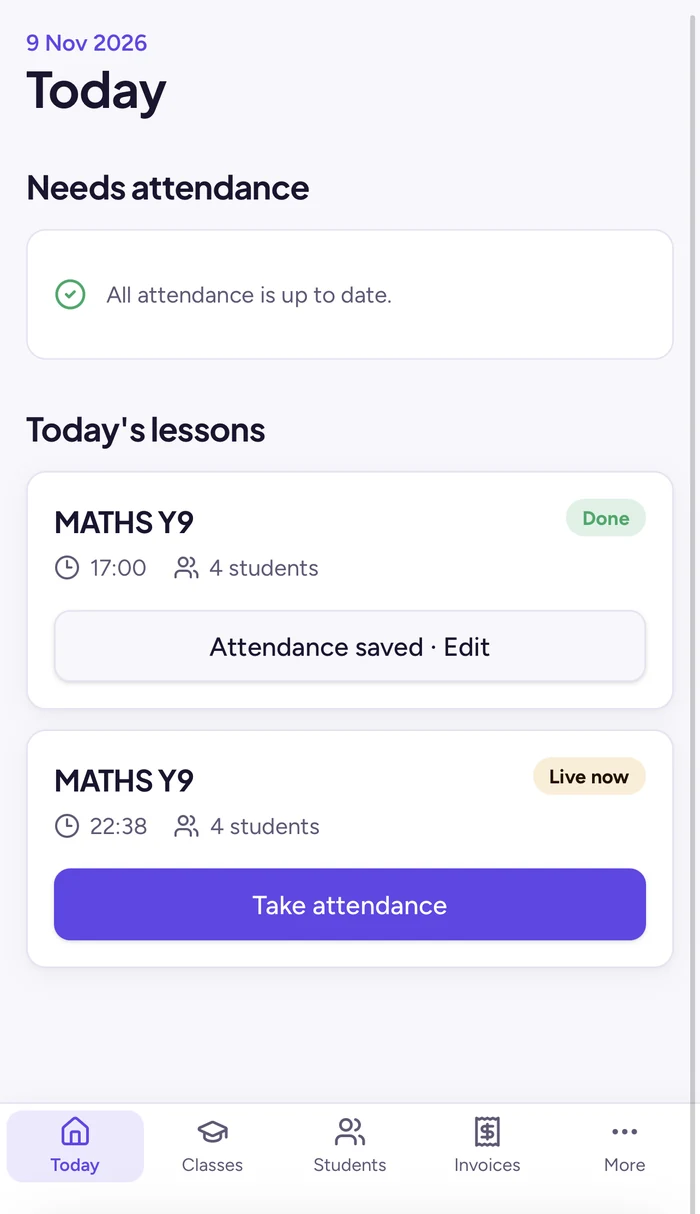
Built by a working teacher who was tired of spreadsheets, WhatsApp invoices and chasing payments.
The current lesson appears on your home screen. Tick who came, choose who pays, done.
Drafts are ready at the end of each month. Nothing reaches a parent until you press send.
Extra lessons, missed lessons and credits carry over to the next invoice automatically.
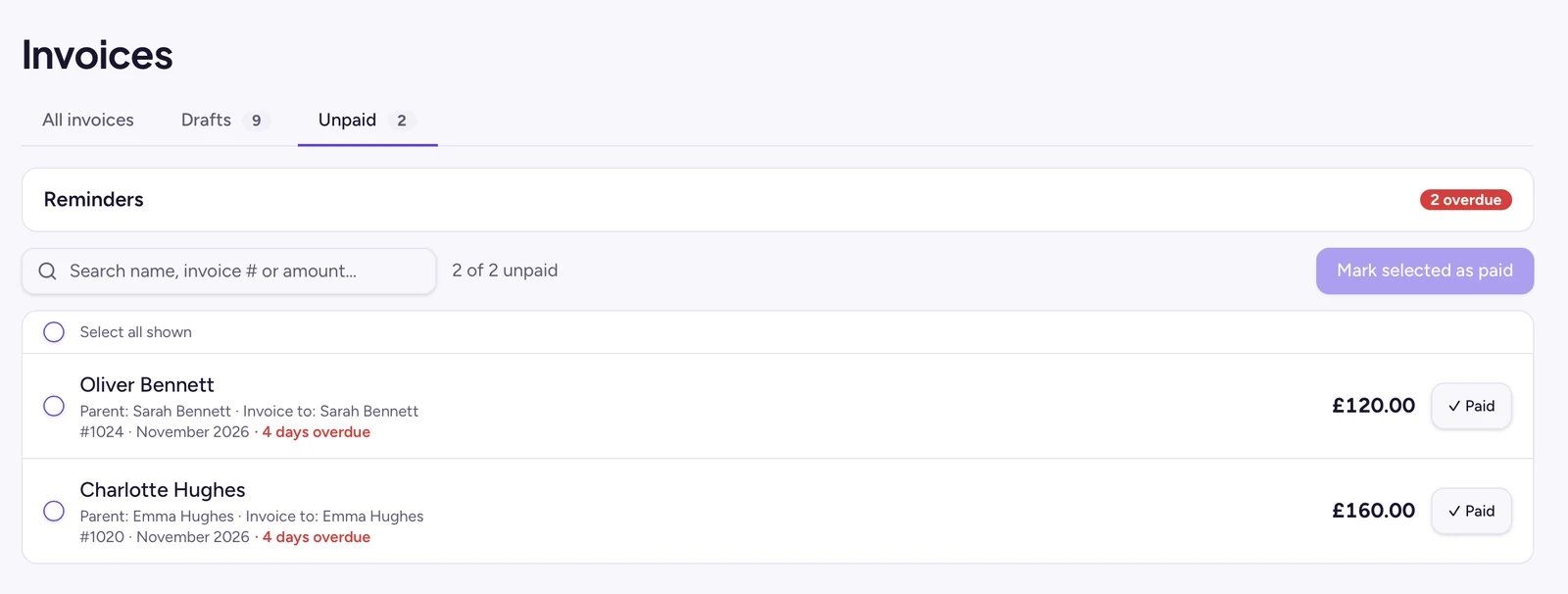
See who has not paid on one list and send a friendly reminder in your own words.
Lessons appear in your calendar. Cancel or move one in Tally and the calendar follows.
Holidays, half terms, one-off extra lessons and fortnightly A/B week slots are all handled.
Real screens from Teacher Tally. Demo data, no real students.
Tick who came, who was late and who pays. Attendance and billing are separate, so you stay in control.
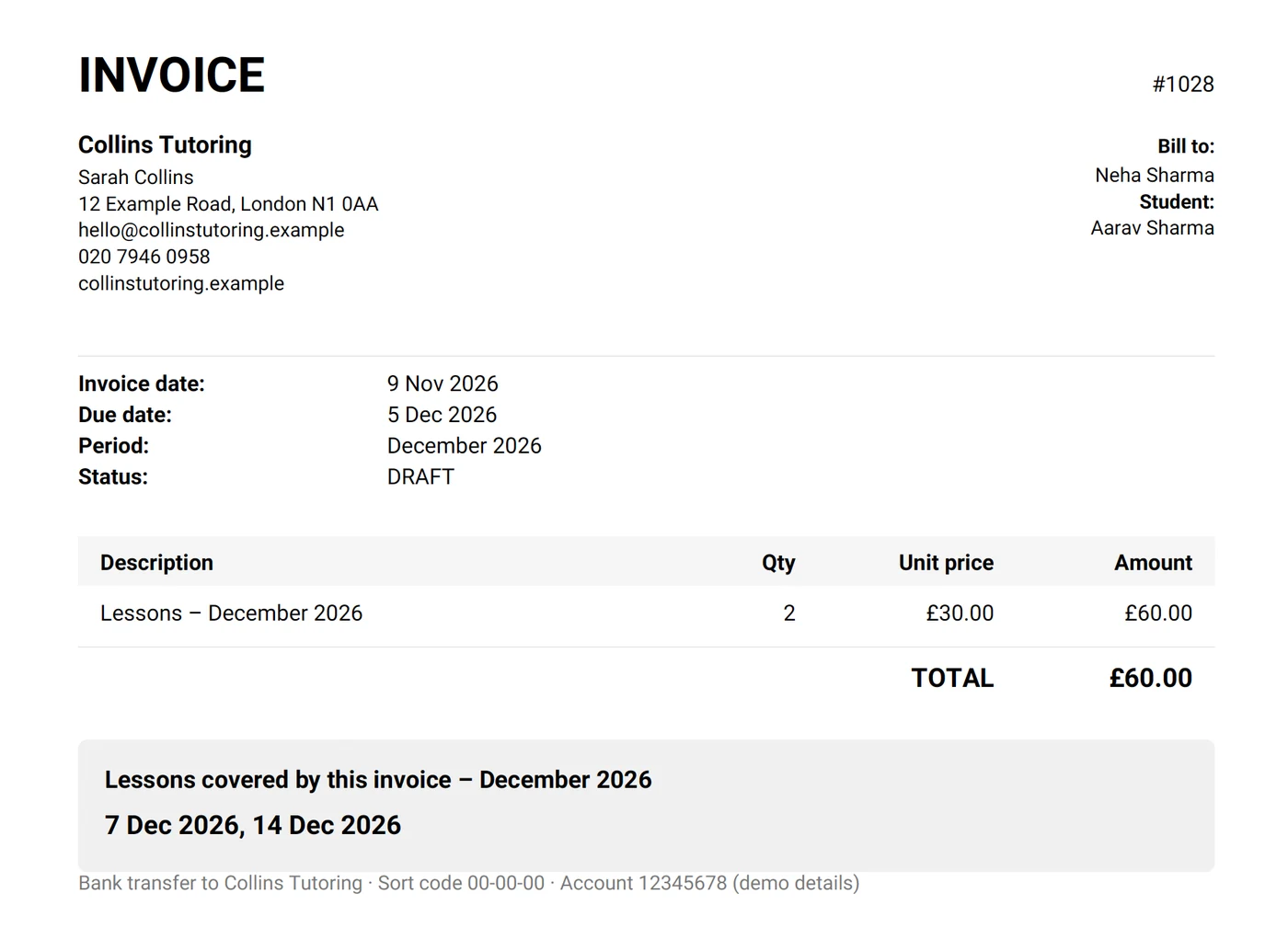
Tally prepares every invoice from your lessons and balances. Check the list, then approve and send.
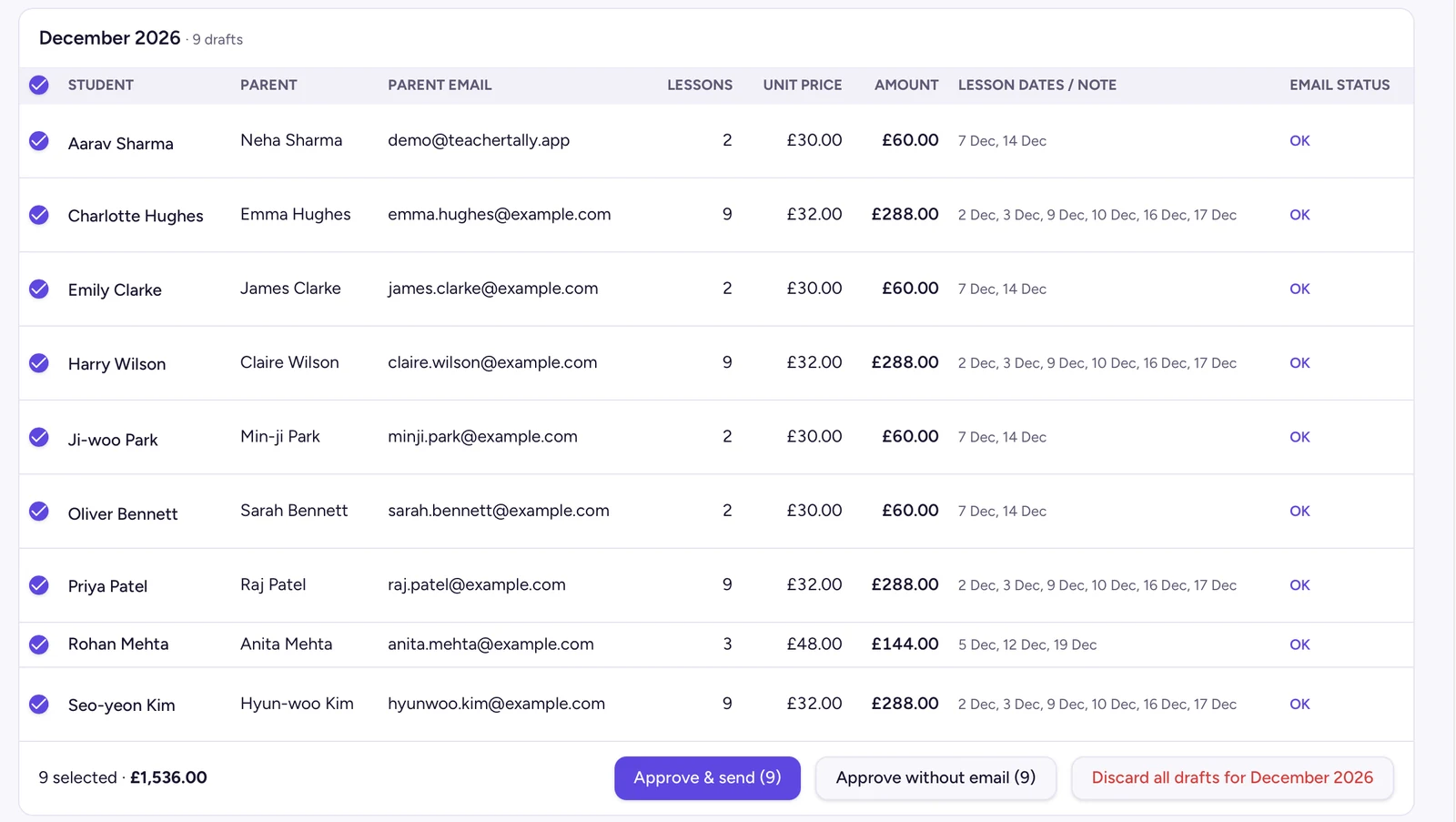
Each invoice lists the lessons it covers, with your details and bank information.
Overdue invoices on one list. Send a polite reminder or mark them as paid.
Students, lesson times, prices and holidays. Import a spreadsheet if you already have one.
During or after each lesson, from your phone or laptop.
Check the drafts, adjust if needed and send. Mark payments as they arrive.
Your data is never locked or deleted, whatever plan you are on.
Everything, with unlimited students, for 30 days from the day you add your first class.
Up to 6 active students, free forever. Ideal if you are just starting out.
Stored in the United Kingdom. Each teacher sees only their own data. We never sell it or use it for advertising.
Read our Privacy PolicyConnecting Google is optional. Tally asks for only two permissions:
Tally's use of information received from Google APIs adheres to the Google API Services User Data Policy, including the Limited Use requirements.